Policies that apply at release time.
Activate Required policies for supported evidence, approvals, rollout restrictions, and change windows. Changed conditions are checked again at deployment.
In development · Explore the product preview. Join the launch list or book a walkthrough.
The product tour
Follow the work from “should we switch?” to “we know what’s running.” The gateway, evidence, and release decision stay connected.
01 / Prepare
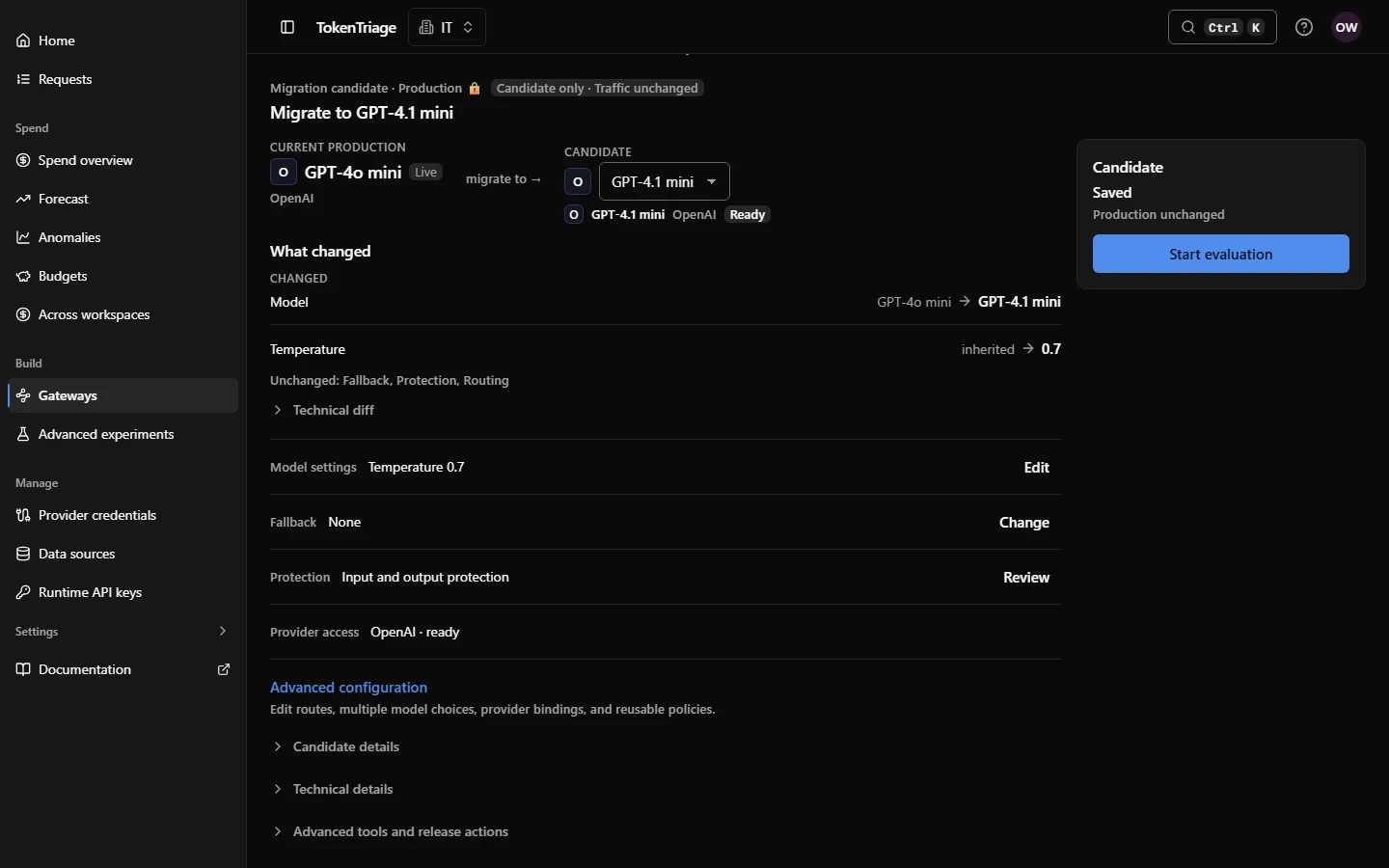
Give the next model, setting, or policy a candidate of its own. Compare it with the current Production release before changing live traffic.
The candidate keeps the saved configuration and its baseline together. Review the model, settings, routes, protections, and provider access that will change.
02 / Evaluate
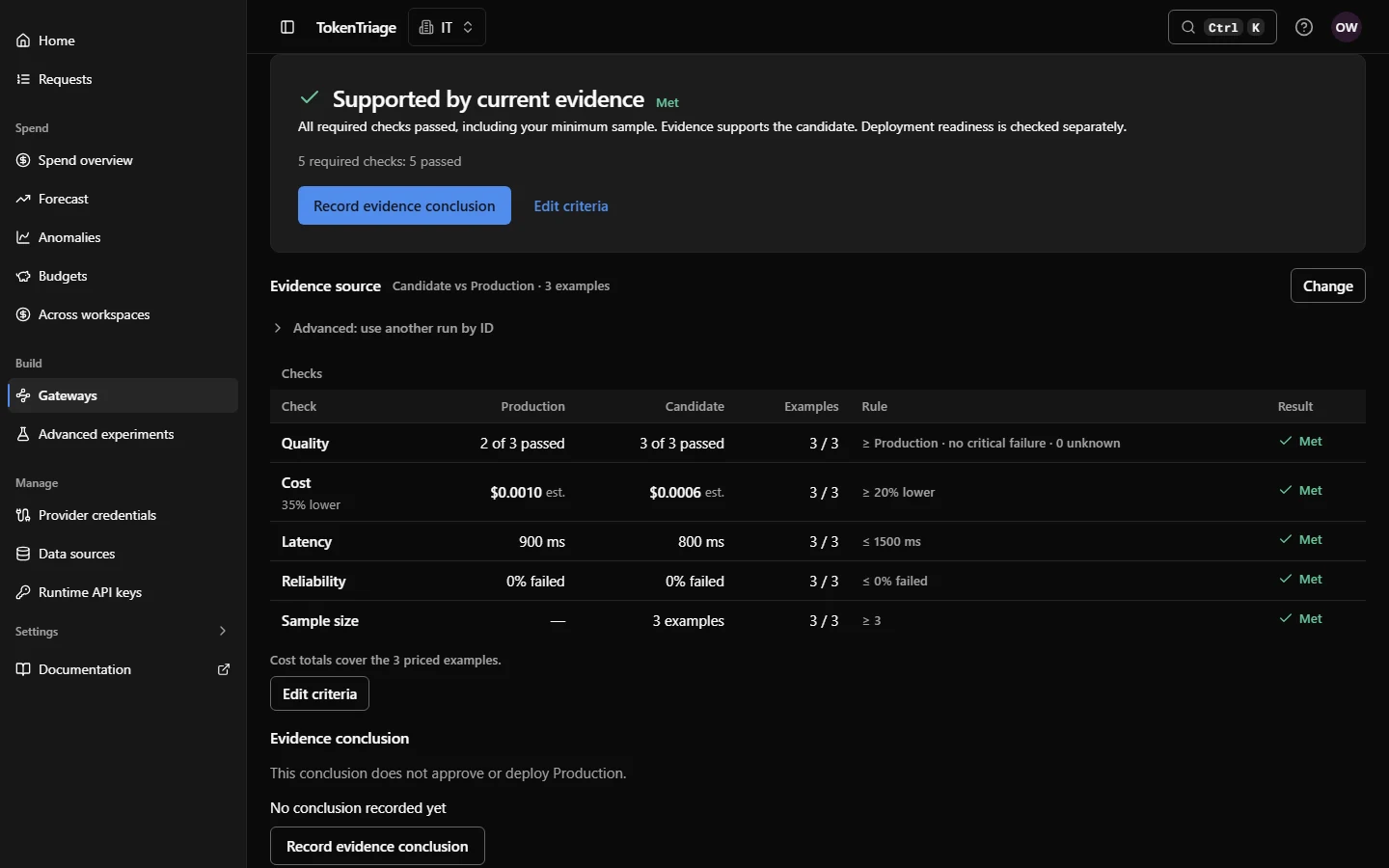
Build a regression set from real requests. Compare the candidate with Production across quality, estimated cost, latency, and reliability.
See sample size and coverage alongside the result. Missing or stale evidence stays visible. A positive conclusion informs the release decision; it does not deploy the candidate.
03 / Control exposure
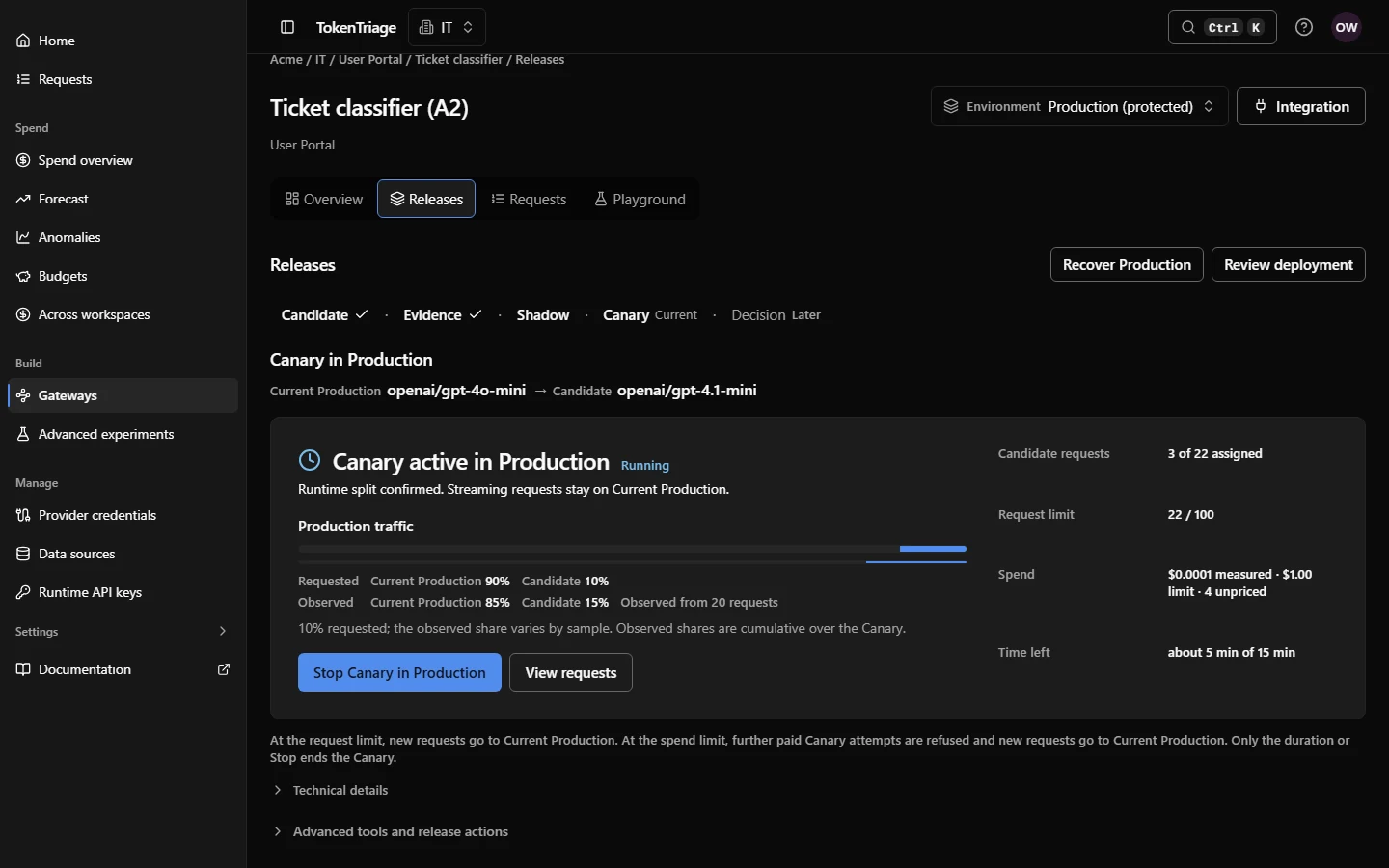
Collect Shadow comparisons without serving candidate responses to users. For supported model changes, start a Canary with a deliberately limited share of live traffic.
Choose duration, request and spend bounds. Track the observed split as well as the requested split, and keep the current release available throughout the trial.
04 / Review and release
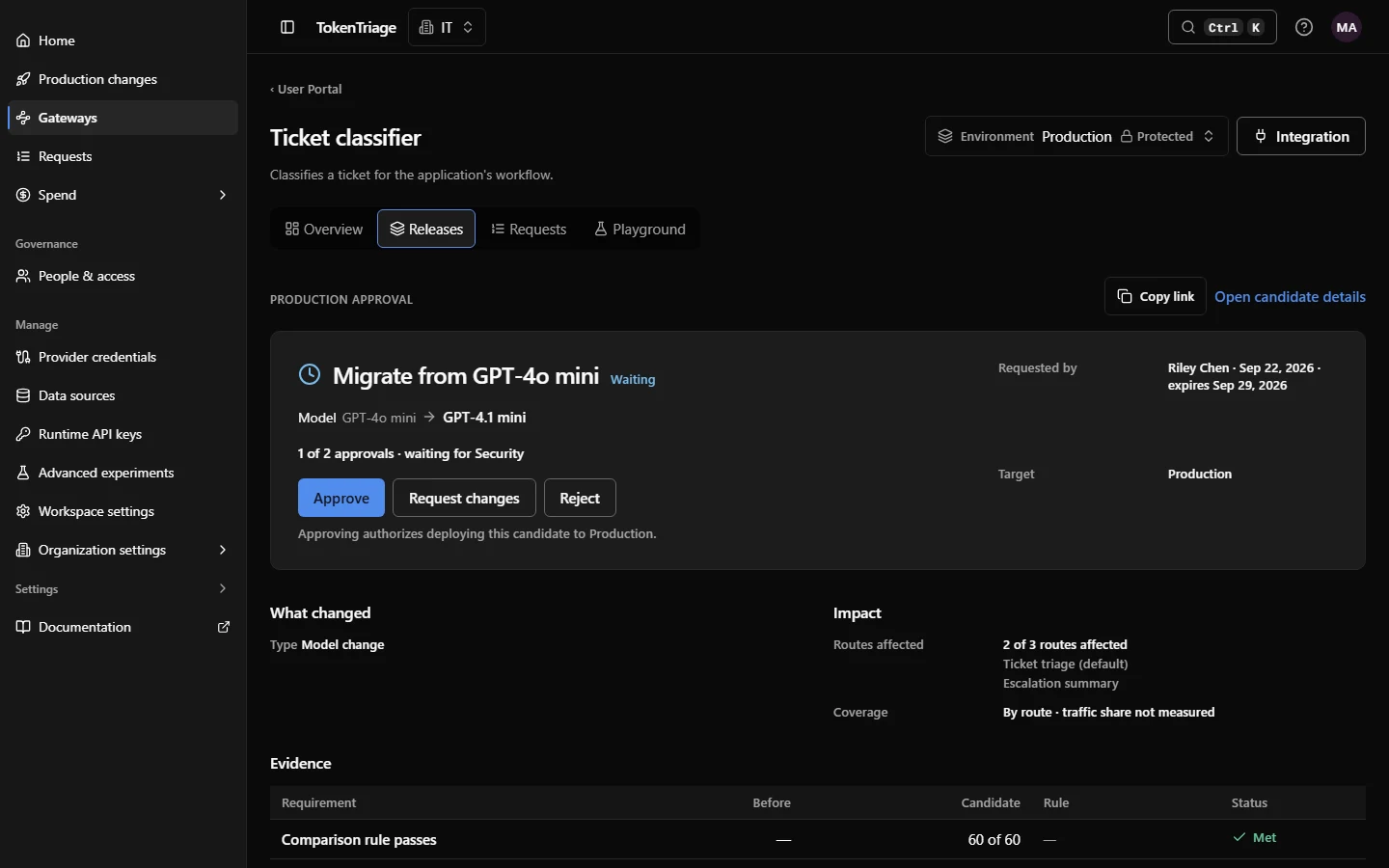
Review what changes, what supports it, and what still needs attention. With enterprise governance, require current evidence and independent human approvals of the exact change.
Deployment rechecks the applicable requirements and your authority. After you deploy, follow the requested release to confirmation from the runtime.
05 / Observe and recover
Follow the requests served by a release. Investigate unexpected behavior and turn the examples into regression tests for the next candidate.
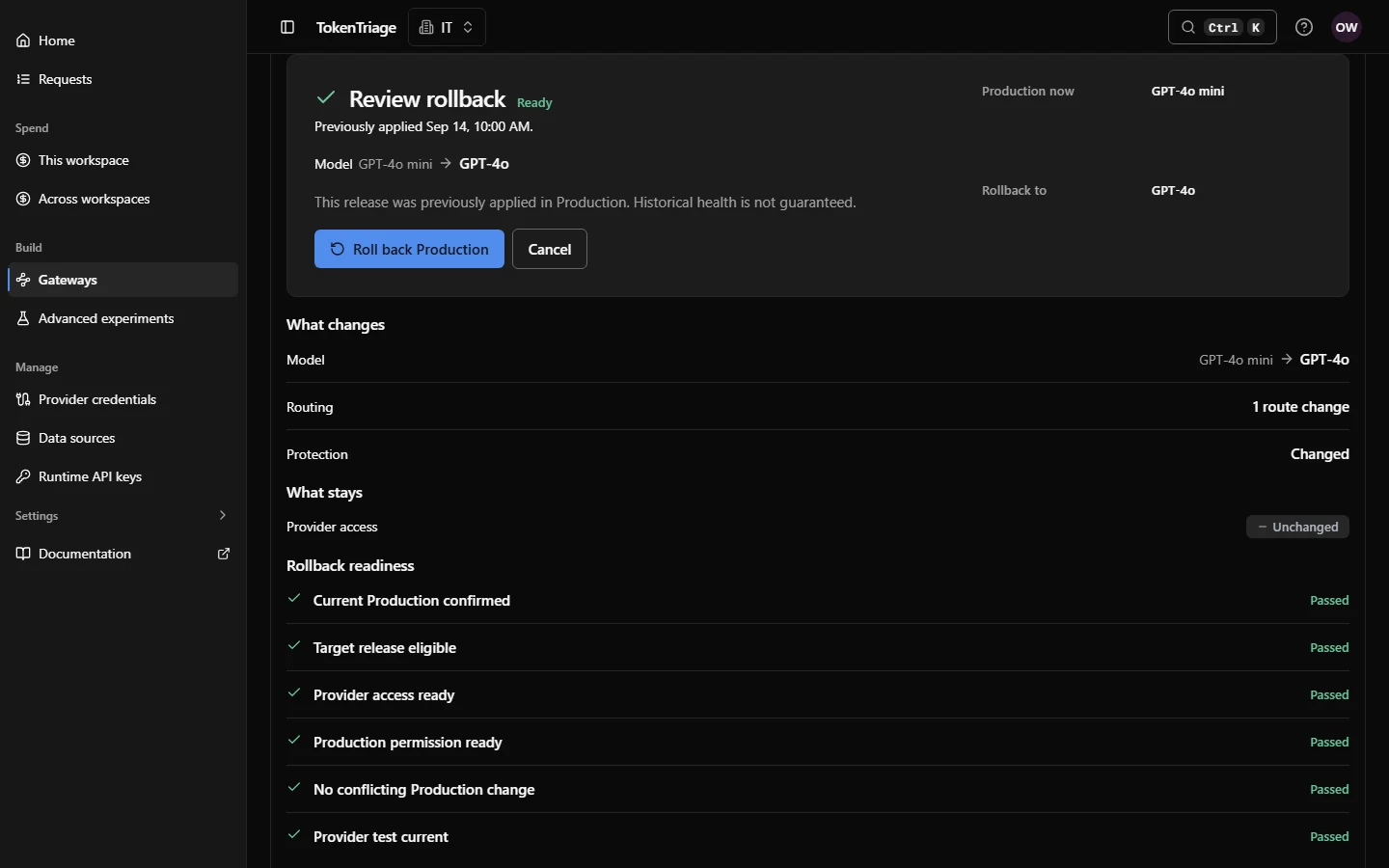
When you need to restore a previous release, review a known applied target and its current compatibility, provider access, and authorization. Recovery is explicit and runtime-confirmed.
Enterprise
Keep one change understandable as your organization grows. Set release requirements, see activity across workloads, and retain the decision record.
Activate Required policies for supported evidence, approvals, rollout restrictions, and change windows. Changed conditions are checked again at deployment.
Find changes that need attention across the workloads you can access. Compare release health with the predecessor and see when the data is still insufficient.
Follow the configuration, evidence, approvals, deployment, monitoring, and recovery in a Release Dossier. Use release checks from the UI, CLI, API, and GitHub.
Screens show the product under active UI polish with demonstration data. Core evidence conclusions are advisory; mandatory release checks require an activated enterprise policy. Monitoring does not automatically promote or roll back releases.
Your next production change
Bring a model migration, a cost target, or a release process you want to improve. We’ll walk through it together.